
Invoices
Invoices that track themselves from sent to paid
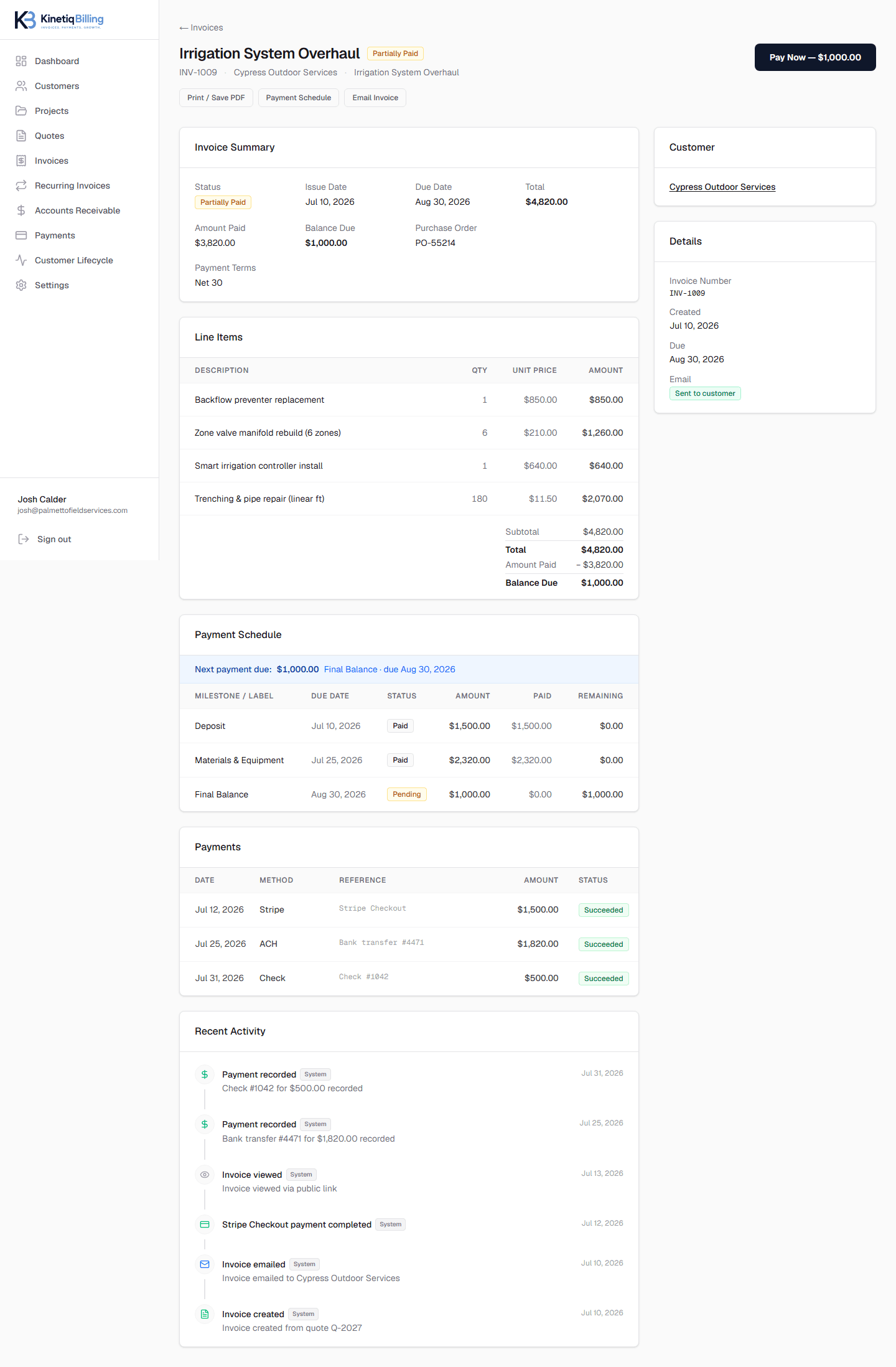
Every invoice carries its own lifecycle — sent, viewed, paid — so you always know where it stands without emailing to ask. Generate one from scratch or from an accepted quote, add payment terms and a PO number, and send a secure link customers can pay from directly.
Know the moment it's viewed
Sent, viewed, and paid status update automatically as the customer interacts with the link.
Built for commercial billing
PO numbers, payment terms, and due dates are first-class fields, not workarounds.
Flexible or milestone billing
Bill the whole job on one invoice, or split it into invoices per milestone — your call.
How it works
Create the invoice
From scratch, or generated from an accepted quote.
Send a secure link
Customers view and pay without creating an account.
Track the lifecycle
Sent, viewed, and paid update automatically.
Reconcile payment
Stripe and manual payments both close out the balance.
Deposits, milestones, and a final balance — all on one invoice, with every payment recorded.
Frequently asked questions
Can I create an invoice without a quote?+
Yes. Invoices can be created directly for work that never needed a quote, or generated automatically from an accepted quote — both paths produce the same invoice record with full lifecycle tracking.
Does KinetiqBilling support purchase order numbers?+
Yes, invoices support a PO number field so commercial customers with vendor compliance requirements can match your invoice to their internal purchase order.
How do I know if a customer has seen an invoice?+
Every invoice tracks sent, viewed, and paid status automatically, so you know the moment a customer opens the secure link — no need to call and ask.
Related
Related feature
Get paid online without chasing a check
Accept card payments through Stripe Checkout — with Link, Apple Pay, and Google Pay available as part of the checkout experience — plus manual recording for ACH, wire, and cash.
Related feature
One invoice, flexible payments
Send a single invoice with a deposit, progress amount, and final balance — and let customers pay what's due now or the full balance.
Related feature
See every dollar you're owed, in one place
A dedicated accounts receivable workspace with automatic aging buckets, customer-level rollups, and overdue tracking — built for service businesses, not general ledgers.
Related guide
Professional Invoice Best Practices
Clear line items, explicit due dates, and a frictionless way to pay are what actually get invoices paid faster — here's how to build them in.
Ready to simplify your billing?
KinetiqBilling handles quotes, invoices, receivables, payments, recurring billing, and related workflows, and is currently available by request rather than open signup.